

Annotation tool
Creating automatic object-linked annotations throughout a plan
What the Annotation Tool does
The PPX18 Annotation Tool creates a note from the object to which it is linked. Link it to a window, door, wall, stair, room, or library object and it reports the information appropriate to that object. The supplied windows, doors, and walls are already prepared for this system, making it possible to annotate much of a plan with one consistent tool.
Link the tool to an object
Choose the Annotation Tool from the PPX18 toolbar and place it in the plan.
Link its leader to the object you want to describe.
Move the note or leader as needed, then confirm that the reported wording is correct for the view.
The result depends on the linked object. A stair annotation can report the number of risers and treads, riser height, tread depth, stair width, and rise angle. Walls and other prepared objects can report instructions such as new, existing, or to be removed.
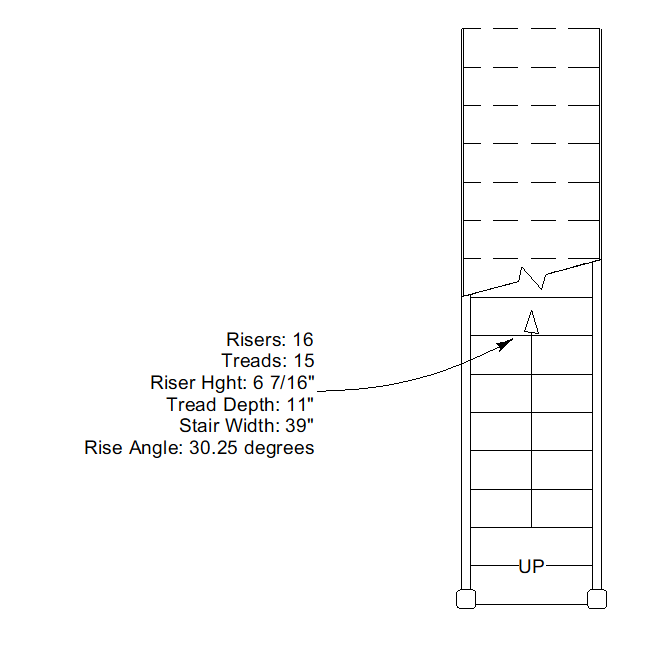
Set an object's preferred annotation
Open the object, go to Object Information, and select the Anno Tool custom field. Enter the wording you want the Annotation Tool to use. If this field is blank, the tool uses the object's available description or label.
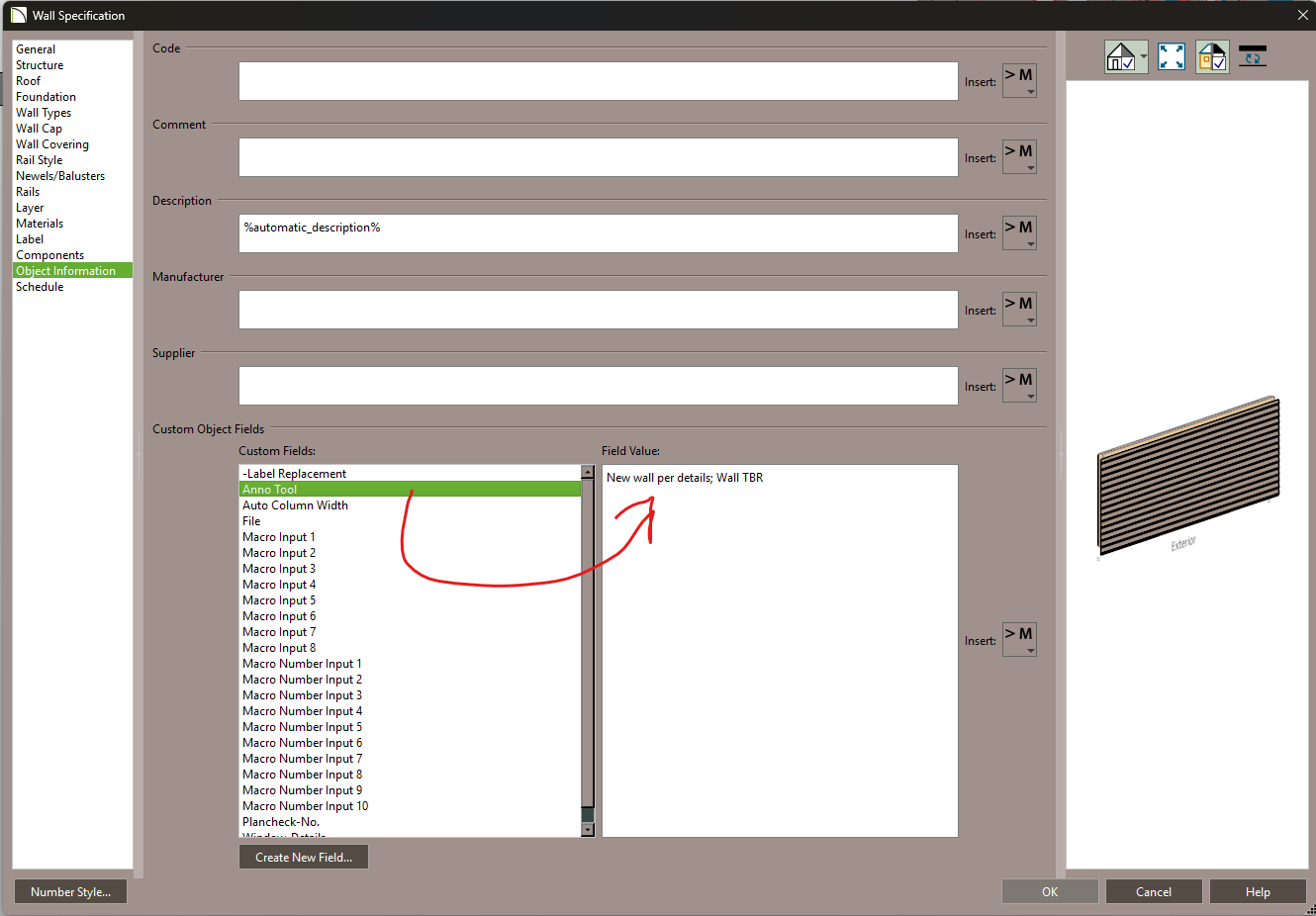
To reuse the same wording, save the completed object back to your library. Each time that library object is placed and linked to the Annotation Tool, its saved annotation is ready to report.
Use different wording for proposed and as-built plans
In the Anno Tool field, enter the proposed wording first and the as-built wording second, separated by a colon.
A plan file ending in -N uses the proposed wording before the colon.
A plan file ending in -AB uses the as-built wording after the colon.
This lets the same saved object produce the appropriate annotation in proposed and as-built plan files.
Use the tool without linking it
When the Annotation Tool is placed inside a room without being linked to an object, it reports the material applied to that room's floor.
Report the annotation in a Keynote schedule
The supplied AnnoTools macro is loaded into the Note tool for use in any view. Place a Keynote and leave its text field set to the AnnoTools macro. The Annotation Tool result will then report through the Keynote schedule.
Not included: the automatic Annotation Tool and its specialized object-linking workflow are removed from Essentials.
Essentials package: a stripped-down working plan, companion As-Built file, Title Block and Spec Plan, plus Rexel ANSI B (11 × 17) and Rexel ARCH D layouts. It includes no PPX18 toolbars or library items.