

Detail designations
Organizing and calling out PPX18 construction details
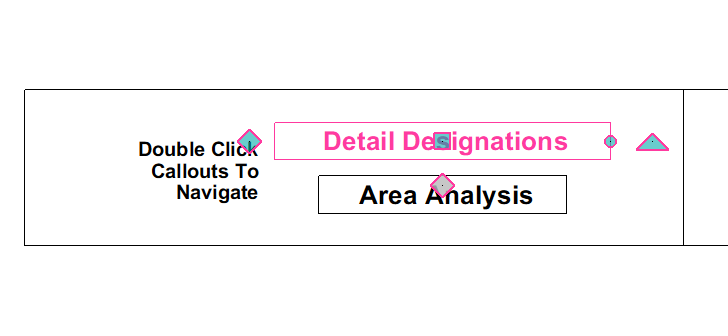
Open the Detail Designations CAD Detail
In the bar across the top of the main Working Plan view, double-click the linked Detail Designations callout. The callout opens the Detail Designations CAD Detail directly.
Set the default designation for a floor
Each designation category contains numbered schedule slots. Move an existing designation into the slot for the floor where it should become the default.
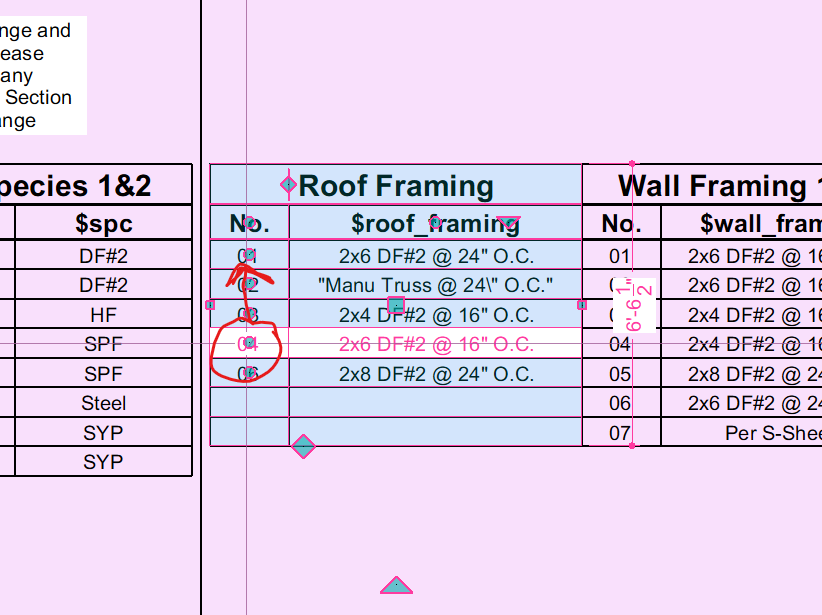
Select the existing designation in its schedule.
Slide it into the No. 1 slot to make it the default designation for Floor 1.
Slide it into the No. 2 slot to make it the default designation for Floor 2.
Review the related detail annotations to confirm that the selected floor now reports the intended designation.
Change an existing designation
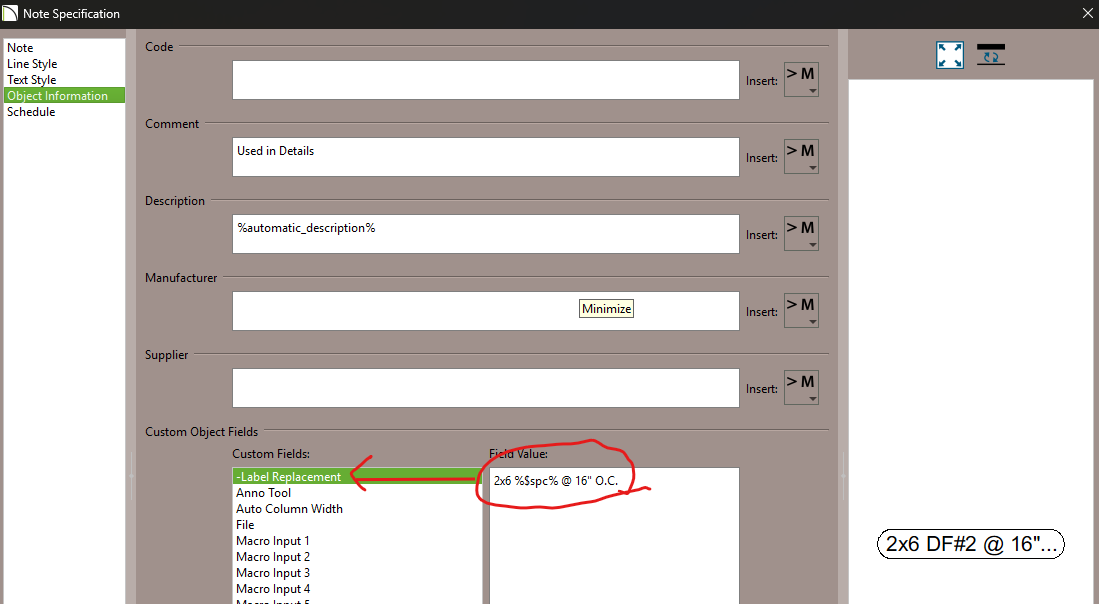
Select the annotation row in the schedule and use Open Row Object to open the existing note. In the Note Specification dialog, open Object Information, select -Label Replacement, and edit the Field Value. Saving that value changes every detail annotation that uses that item.
Duplicate a designation and add another option
Select the annotation row and use Find Object in Plan to locate its source note. Duplicate that note to create an additional designation. Open the duplicate, go to Object Information, select -Label Replacement, and enter the new designation in the Field Value. Confirm that the new note appears in the schedule, then place it in the required numbered floor slot.
Verify the connected annotations
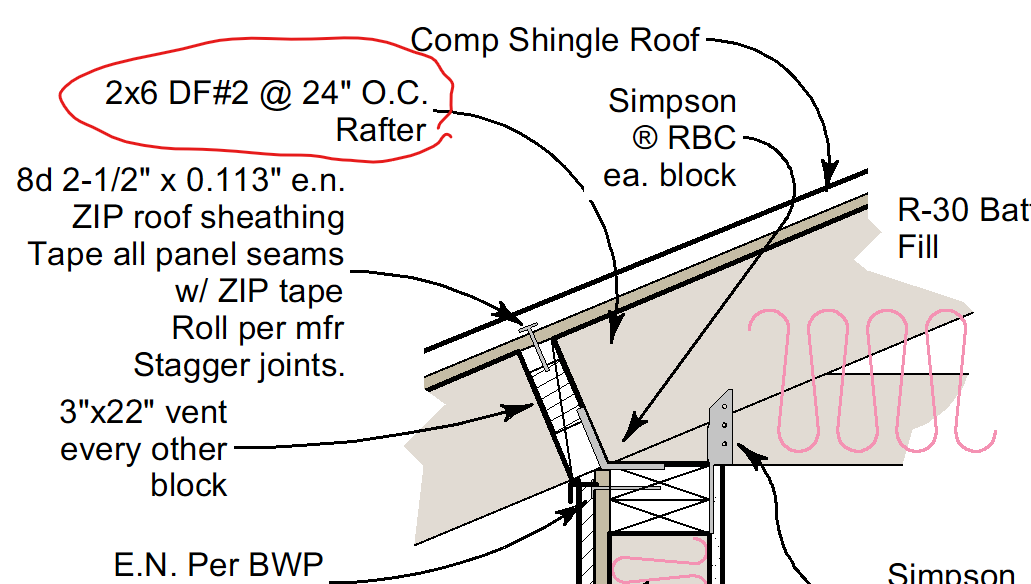
After changing a designation, review the construction details that use it. The roof-rafter example shows the revised framing designation carried into the connected detail annotation.
Share additional designations
When you create a useful detail annotation or designation that is not already included with PPX18, post it in the Suggestions channel of the PPX18 Discord community. Include the exact designation text, what it describes, and any relevant regional or code context. Rabbitt Design reviews these community submissions and can add useful designations to future PPX18 releases so they become available to other users.
Open the PPX18 Discord communityNot included: the Detail Designations system is removed from Essentials.
Essentials package: a stripped-down working plan, companion As-Built file, Title Block and Spec Plan, plus Rexel ANSI B (11 × 17) and Rexel ARCH D layouts. It includes no PPX18 toolbars or library items.