
There is a big difference between learning what a Chief Architect tool does and learning how to use it efficiently inside a real project.
A tutorial can show you where the roof tools are. It cannot explain why the roof on your current addition refuses to rebuild correctly.
A video can demonstrate foundations. It cannot inspect the walkout basement you are struggling with, identify where its floor structure went off track, and help you organize the model so it remains predictable as the design changes.
That gap is exactly where Rabbitt Design’s Flex Training is most useful.
Instead of forcing every client through the same fixed curriculum, we personalize the training around your experience, your files, and the work you need to complete. Bring a specific Chief Architect problem, a broader workflow goal, a template that needs attention, or a team that needs to work more consistently.
You are not stepping away from production to learn. You are learning through production.
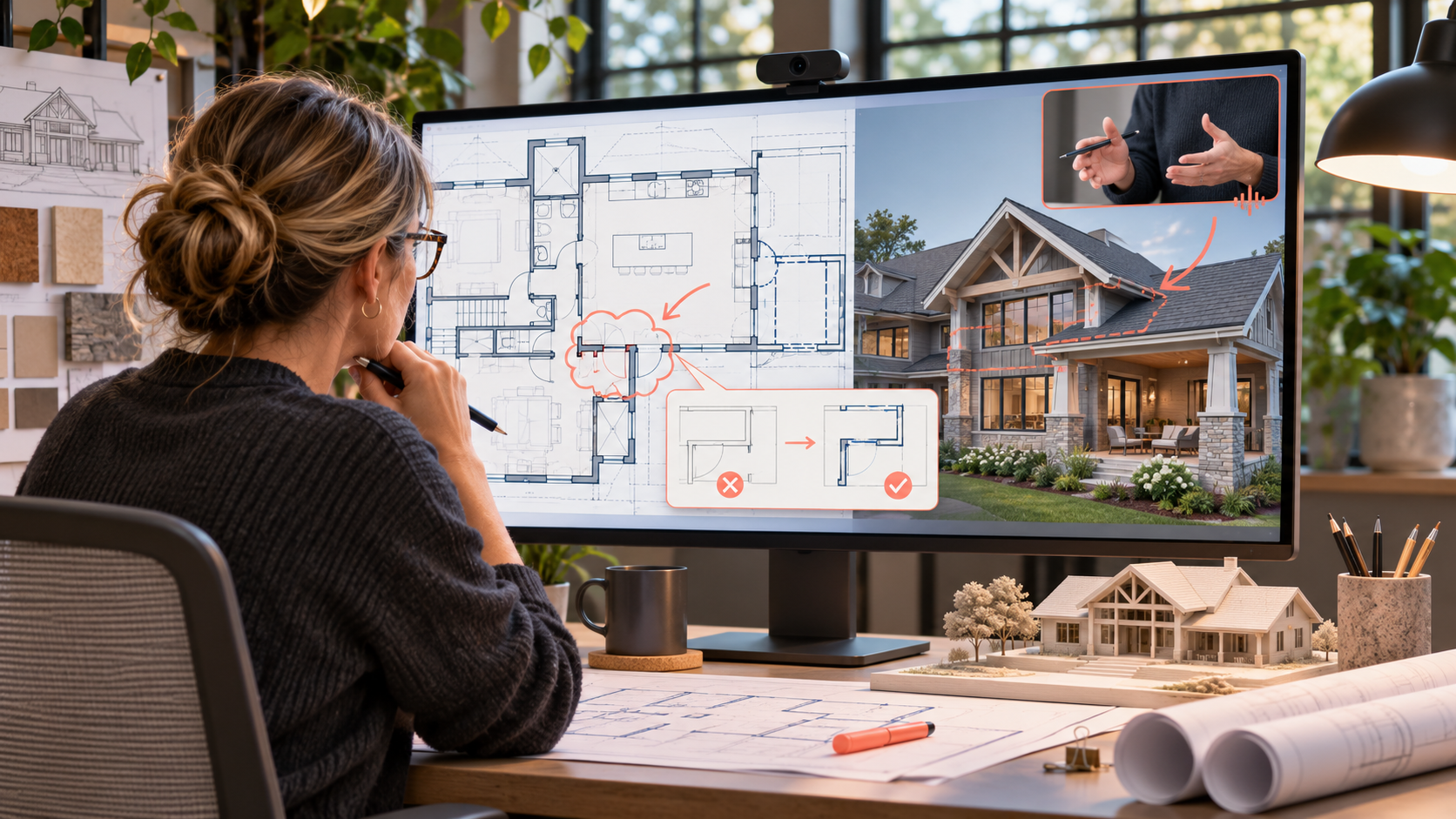
Bring the plan that has you stuck and turn the problem into a practical learning session.
Bring the plan that has you stuck
Sometimes you do not need a complete course. You need someone experienced to help you understand why one particular plan is fighting you.
That could mean:
- A roof condition that will not generate as expected
- A walkout basement with confusing floor or foundation relationships
- Walls that are not connecting or defining rooms correctly
- A remodel where existing and proposed conditions have become difficult to manage
- Saved plan views, layer sets, defaults, or annotations that no longer behave consistently
- A layout file that has become repetitive, fragile, or difficult to update
- A rendering or presentation workflow that takes far longer than it should
During Flex Training, that problem becomes the lesson.
We can examine the decisions already present in the file, explain what Chief Architect is doing, and work through a repeatable approach. The goal is not simply to rescue one plan. It is to help you recognize and solve the same condition the next time it appears.
Learn Chief Architect while you draft
Some people learn best by watching a carefully organized demonstration. Others learn fastest when they can make changes themselves and immediately see the result in their own work.
You might develop a plan while learning how room definitions affect floors, ceilings, foundations, and automatic model behavior. You might build a kitchen while improving cabinet defaults and saved views. You might prepare a layout while learning how to reduce duplicated work between the model and construction documents.
The project keeps moving, but each production decision also becomes a teaching opportunity.
This approach works for newer Chief Architect users, but it is equally valuable for experienced users who suspect their current process has accumulated unnecessary steps.

Learn the tools in context—from foundations and roofs to saved views and construction documents.
Clean up a workflow or template
A template can save enormous amounts of time—when all its parts work together.
It can also preserve years of workarounds, duplicate defaults, unclear naming conventions, and settings that nobody remembers creating.
Flex Training can be used to review a workflow or template and identify where it could become simpler and more reliable. Depending on your goals, that may include:
- Template and project-file organization
- Default sets and annotation management
- Saved plan views and layer-set relationships
- Construction-document organization
- Repetitive drafting or presentation tasks
- File-management and backup practices
- Libraries, tools, hotkeys, and interface organization
- Office standards that need to become a repeatable Chief Architect process
The objective is not to make your system look like ours. It is to help your system support the way you actually design, document, and deliver projects.
Train an individual or an entire team
When several people work in the same files, inconsistency becomes expensive.
One person may control visibility with layer sets while another changes objects individually. One drafter may understand the template’s saved views while another creates new views for every project. The plan can appear correct on screen while its underlying organization becomes increasingly difficult for the next person to understand.
Group training gives a team the opportunity to establish a common working method. A session can focus on a shared template, office conventions, recurring production problems, or a defined project type.

Turn individual knowledge into a consistent, repeatable production system for the entire team.
Training beyond Chief Architect
Chief Architect is a major focus, but it is not the only part of a modern design workflow.
Rabbitt Design also offers training in Twinmotion, Thea Render, Photoshop, cloud management, and Windows 11 file management. That makes it possible to address the connections between applications instead of treating each program as an isolated tool.
A session might cover:
- Moving a Chief Architect model into a rendering workflow
- Organizing assets before they reach Twinmotion or Thea Render
- Preparing images for Photoshop and client presentations
- Improving cloud-storage and backup habits
- Creating a predictable Windows structure for plans, layouts, images, and exports
Often, the biggest improvement is not one clever command. It is eliminating friction between several parts of the workflow.
Choose the training option that fits your work
A single live Flex Training session is 60 minutes for $150.
This is a good fit when you have a focused problem, need help with one plan condition, or want guidance on a clearly defined part of your workflow.
Book a 60-minute Flex Training session for $150.
Discounted packages are available when you expect to work through several topics, plans, or team procedures:
- Four hours: $550
- Eight hours: $1,000—equivalent to $125 per hour
Package hours can be redeemed in one- or two-hour sessions using the package code provided with the purchase.
View the current Flex Training packages.
If you’re booking for an office or team, contact us to discuss the right format for your group.
How to prepare
Before your session:
- Decide what successful training would help you accomplish.
- Gather the relevant plan, layout, template, screenshots, or examples.
- Back up any important production files.
- Write down the two or three questions that matter most.
- Decide whether the goal is troubleshooting, explanation, workflow development, team consistency, or hands-on project assistance.
Do not worry if you cannot diagnose the problem accurately. “Something is wrong with this plan, but I do not know what” is a perfectly reasonable place to begin.
Let the lesson follow the work
Chief Architect is a deep program. Your best next lesson depends on what you design, how you document it, where you lose time, and what the software is asking you to solve today.
Flex Training allows the lesson to follow the work.
Bring the stuck plan. Bring the template that has grown too complicated. Bring the workflow that only one person in the office understands. Bring the team that needs a shared system.
We will use the material you already care about to build knowledge you can use again.
Book a single 60-minute session, purchase a discounted training package, or review the Rabbitt Design Software Training offer.
